

 Русский
 Español
 中文
中文{cost.CURRENCY} Macro on the Offer Level
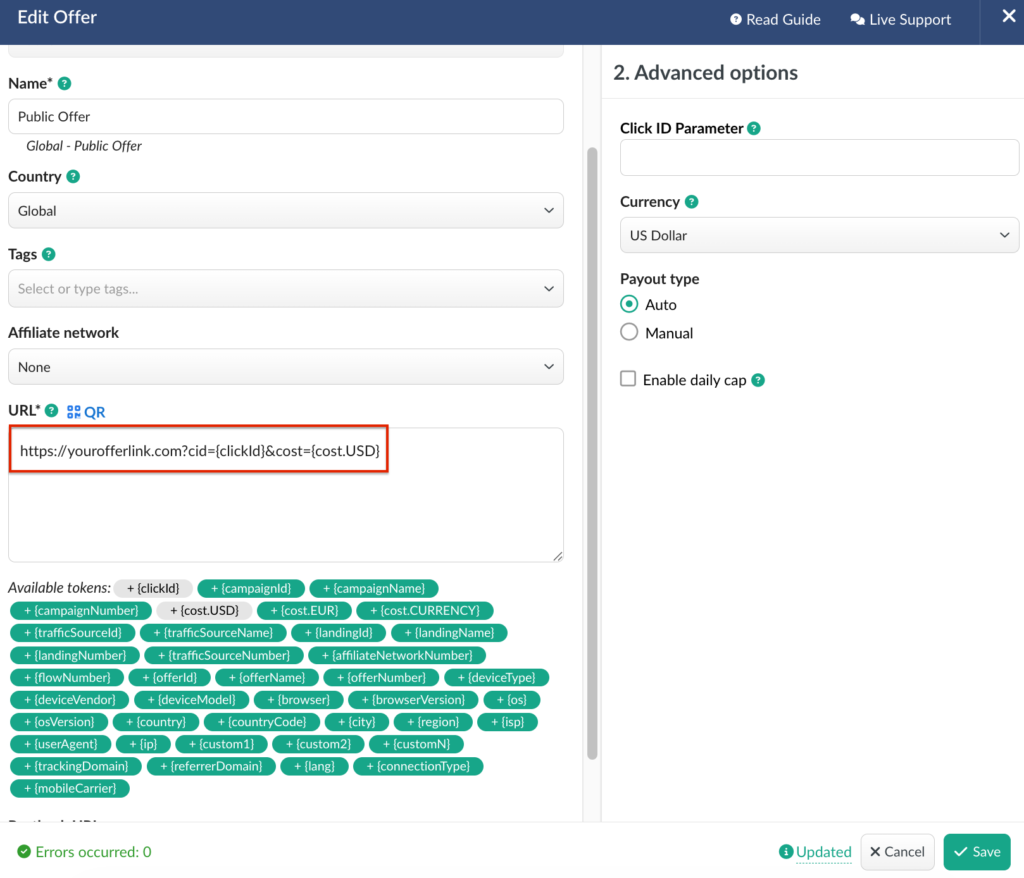
We’ve added the {cost.CURRENCY} macro for use at the Offer settings level.
This macro allows you to pass the cost data that was originally received in the campaign URL further to the offer. It is especially useful if you use BeMob for traffic reselling or other scenarios where cost data must be forwarded at the offer level.
How It Works
• Append the {cost.CURRENCY} macro to the end of the offer URL together with the cost passing parameter.
• The macro will pass the cost value in the specified currency.
Examples:
• To pass cost in USD, use {cost.USD}
• To pass cost in EUR, use {cost.EUR}
• To pass cost in another currency, use {cost.CURRENCY}, replacing CURRENCY with the required ISO 4217 currency code.
Reversed Revenue Column
Affiliate networks and direct advertisers send conversion status updates (from newly appeared to confirmed, paid, or rejected) via postbacks.
Even after a conversion is marked as confirmed and paid, it may later be returned or refunded. In such cases, the payout is deducted, resulting in reversed revenue for the affiliate.
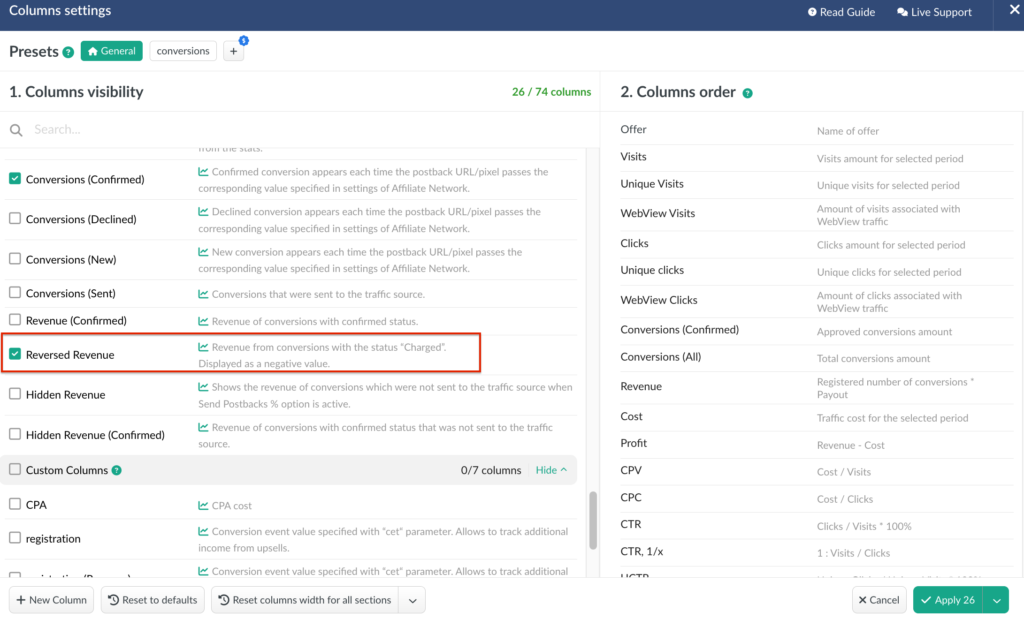
To make this behavior transparent, we’ve added reversed revenue tracking in a separate column.
What’s New
• A dedicated Reversed Revenue column is now available in reports.
• The column can be enabled via report column settings.
• It reflects conversions that were reversed by the affiliate network.
⚠️ Important:
A high rate of reversed conversions and growing reversed revenue may indicate issues with conversion quality or potential dishonesty from an affiliate network or direct advertiser. This data can help you detect and investigate possible discrepancies.
📩 We highly appreciate your feedback and feature requests.
Feel free to reach us via Live chat from the panel or website and at support@bemob.com