

 Русский
 Español
 中文
中文Max CPC Protection at Campaign Level
Take more control over campaign costs with the new Max CPC Protection setting.
Available for campaigns using AUTO and AUTO CPM cost models, this feature lets you define the maximum allowed cost per click for each campaign.
When the cost received in the campaign URL exceeds the threshold you set, BeMob automatically applies the selected protection action: ignore the high-cost click, or record it and mark it as a bot for further analysis.
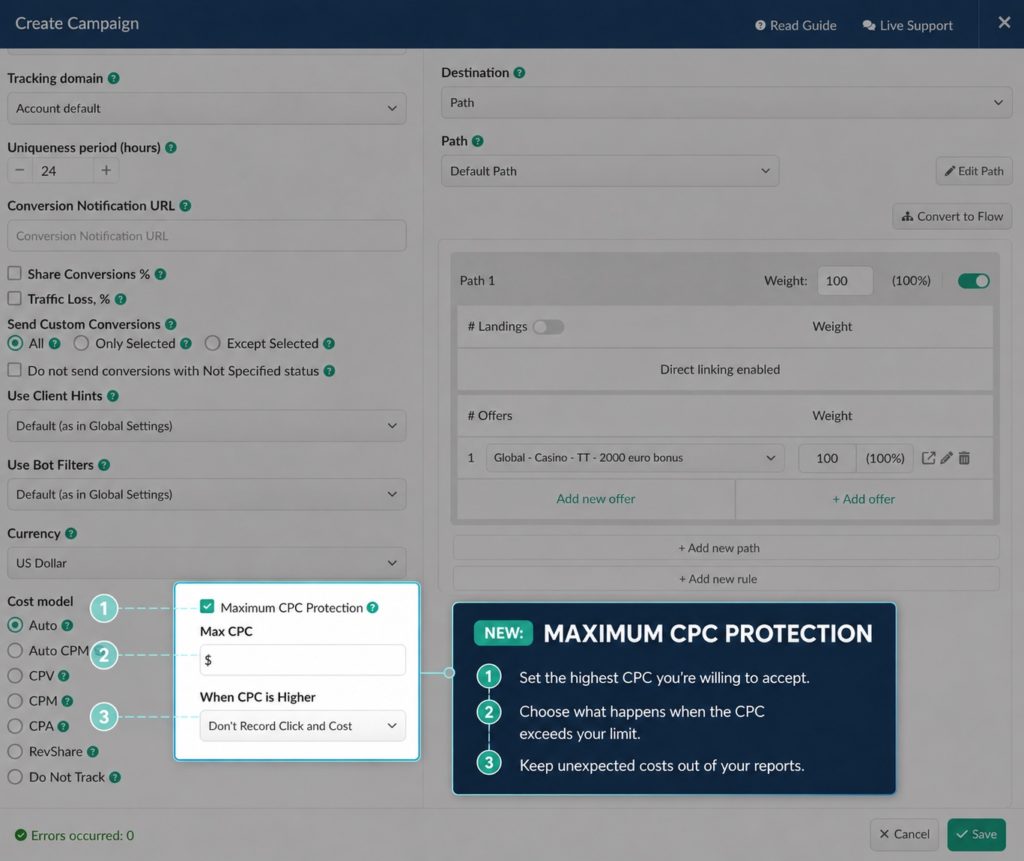
Max CPC Protection helps prevent inaccurate campaign statistics caused by:
- Incorrect cost parameters passed in the campaign URL
- Faulty redirects or tracking setup
- Fraudulent or suspicious traffic
Configure protection individually for every campaign and keep your cost data accurate—even when incoming traffic data is not.
Bot Cost in Reports
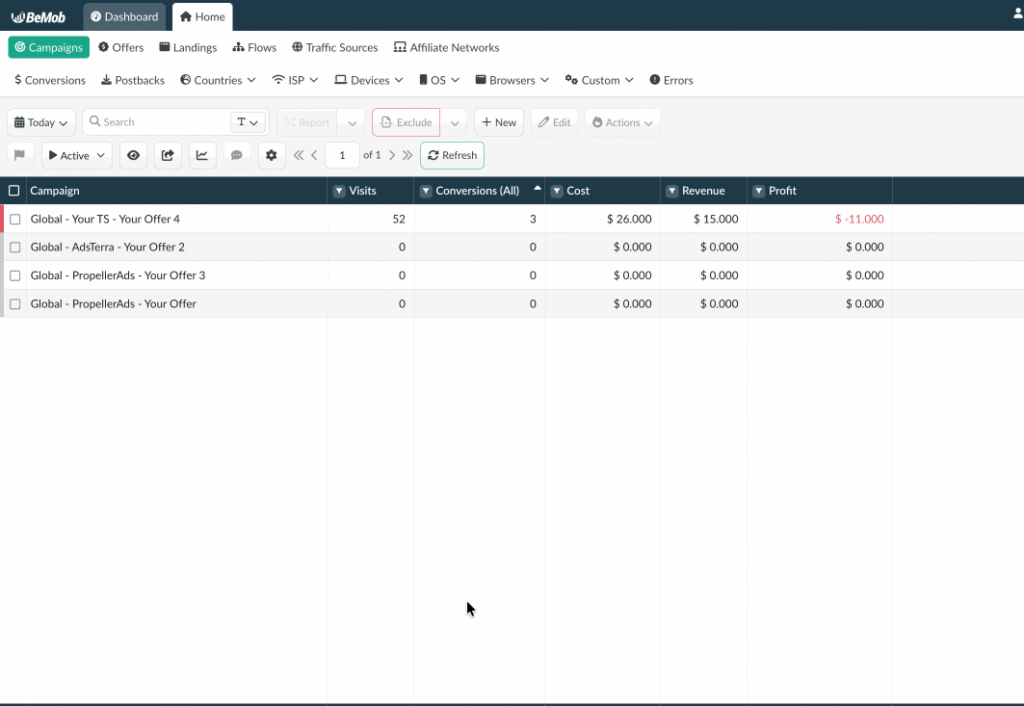
A new Bot Cost column is now available in reports.
The column displays costs received through the cost parameter in campaign URLs for visits identified as bots.
Previously, costs from bot visits, clicks, and impressions were included only in the total Cost column.
Now, if you have the configured bot rules, costs from the traffic matching a bot condition will only be shown in Bot Cost.
Understand how much of your campaign budget is affected by non-human or unwanted visits.
Use Bot Cost to:
- Identify campaigns and traffic sources generating costly bot activity
- Compare total spend with bot-related spend
- Evaluate traffic quality more accurately
- Make faster optimization decisions based on clearer cost insights
Bot Cost column should be switched on in the Column Settings:
Flow Path and Rule Reporting
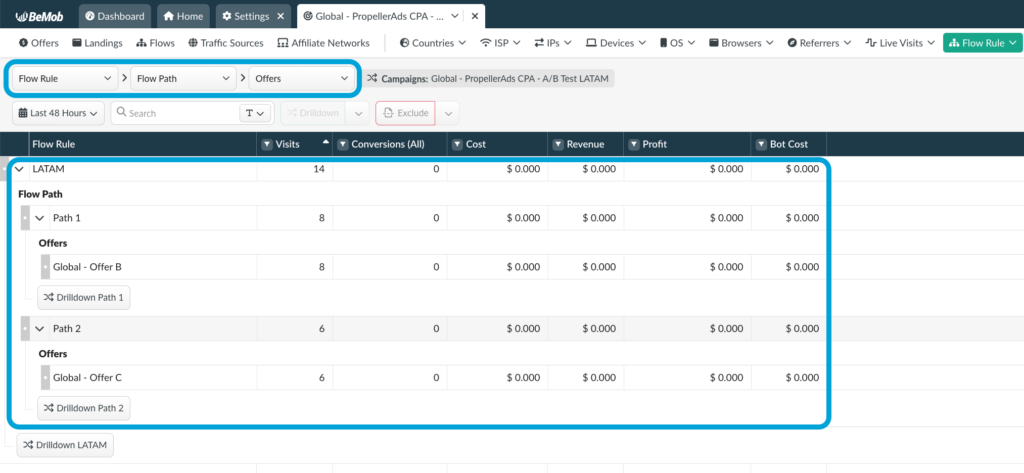
Get deeper visibility into your traffic distribution with new Flow Path and Rule report dimensions.
You can now include the names of flow paths and rules in reports and analyze performance based on the exact routing logic applied to each visit. See how individual paths and rules contribute to clicks, conversions, costs, and revenue.
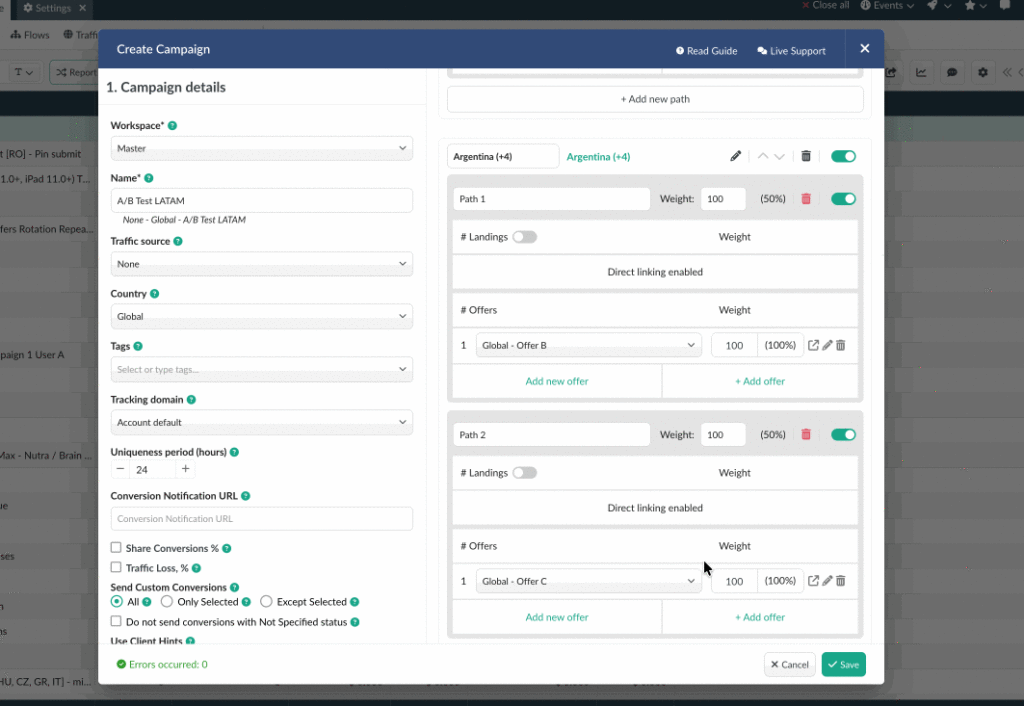
This update makes it easier to:
- Analyze traffic and conversion performance by flow setup
- Compare the results of different routing rules
- Find paths that need optimization
- Verify that traffic is being distributed according to your intended logic.
Facebook Conversion Currency
You can now select the currency used for conversion values sent to Facebook. The setting supports Facebook ad accounts that operate in a currency other than USD.
How it helps
Set the currency in BeMob to match your Facebook ad account and keep conversion values consistent across both platforms. This reduces reporting discrepancies and gives Facebook more accurate data for campaign optimization.
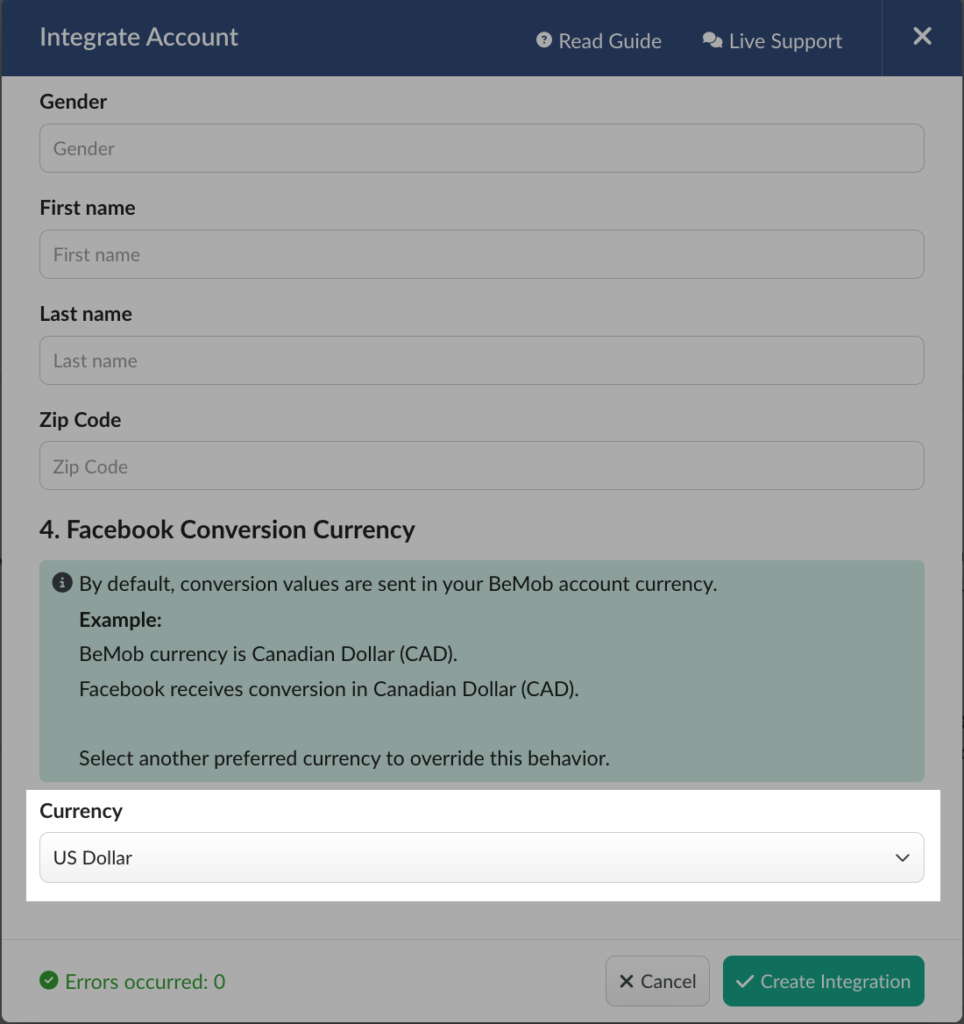
Note: This option requires Facebook CAPI to be activated.
📩 We highly appreciate your feedback and feature requests.
Feel free to reach us via Live chat from the panel or website and at support@bemob.com