

 Русский
 Español
 中文
中文You can now configure masking for all traffic source parameters (zones, publisher IDs, and similar) at the affiliate network or direct advertiser level.
How it works:
• First, enable parameters masking in the Traffic Source settings.
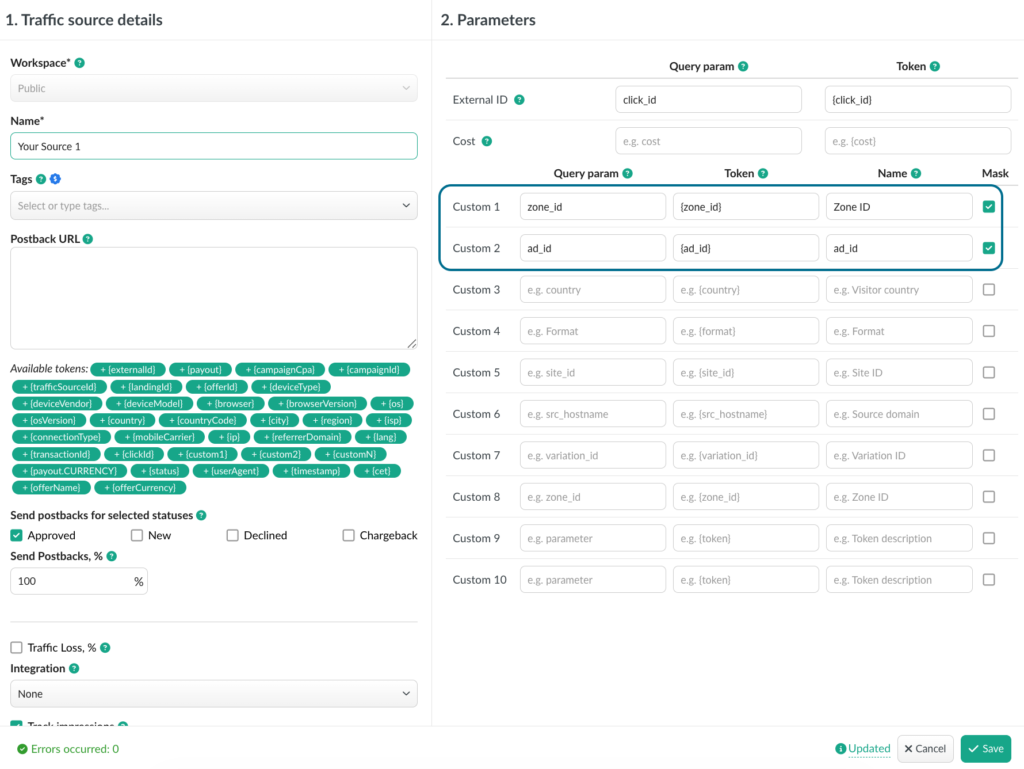
• Then go to the Affiliate Network settings and enable the new checkbox to apply traffic source params masking specifically for that network.
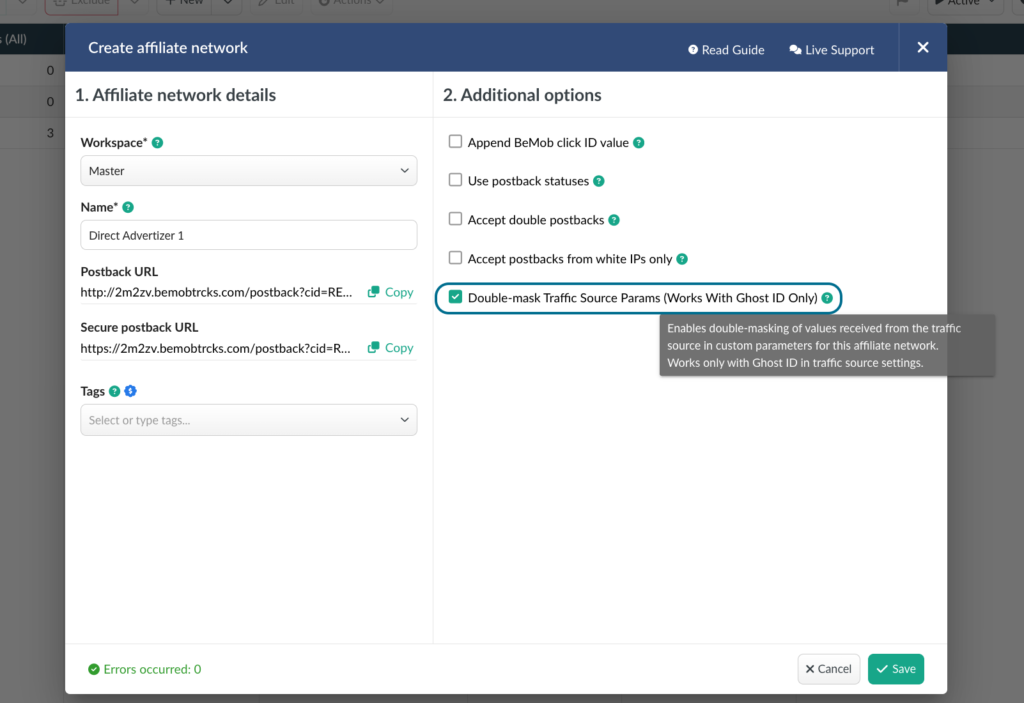
This provides the additional double-masking the parameters for a particular affiliate network when it is required.
📩 We highly appreciate your feedback and feature requests.
Feel free to reach us via Live chat from the panel or website and at support@bemob.com