

 English
 Español
 中文
中文Element Numbers and Tokens
Previously the BeMob elements (Campaign, Flow, Landing, Offer, Affiliate Network, Traffic Source) were identified only by Unique ID generated by our platform (e.g., a9e85cd1-8c60-47c3-81b7-1e1b6238eb1f).
We have introduced serial numeric identifiers assigned in the order of element creation.
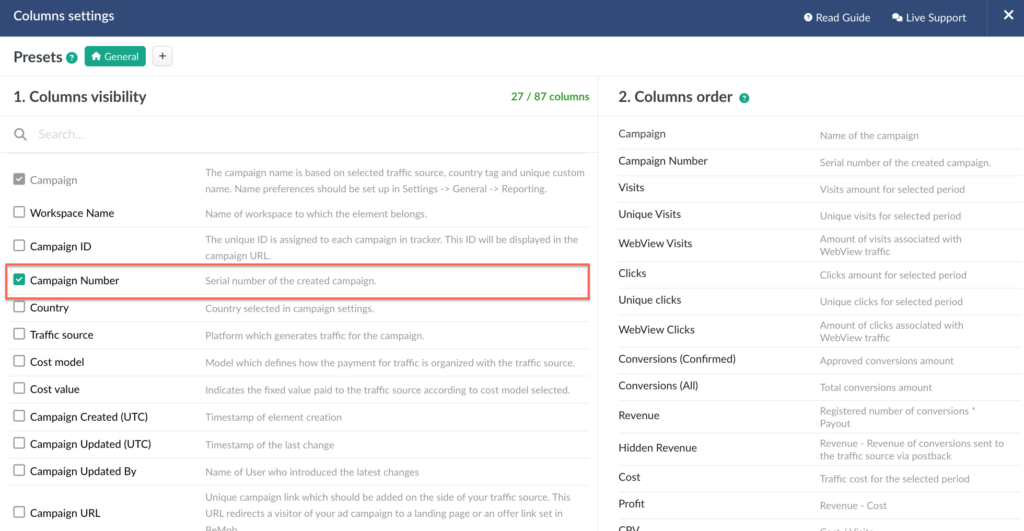
• A new column (e.g., Campaign Number) is now available in the element list.
To activate click on the eye icon and select the column:
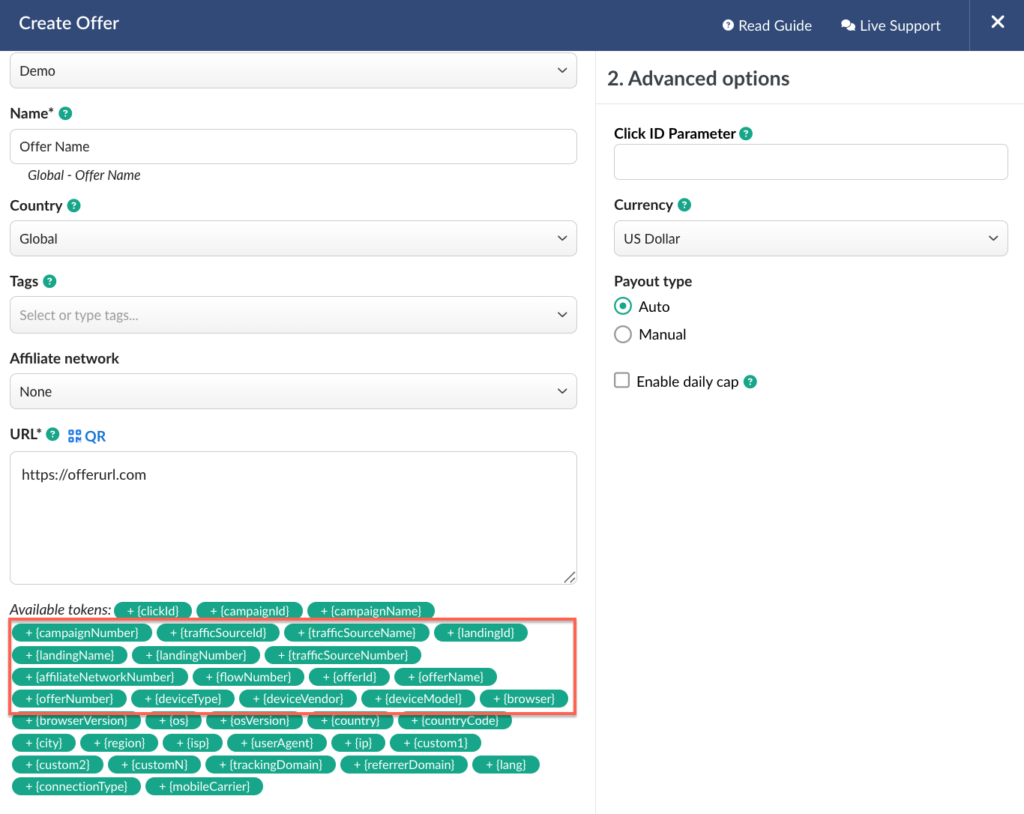
Depending on the element type the number can also be passed to advertisers in the Offer or Landing URL via new macros.
Offer settings: {offerNumber}, {landingNumber}, {trafficSourceNumber}, {flowNumber}, {affiliateNetworkNumber}
Landing settings: {landingNumber}, {trafficSourceNumber}, {flowNumber}, {affiliateNetworkNumber}, {campaignNumber}
The corresponding macro can be added to the offer/ landing page URL to pass the number to the side of the advertizer or your affiliate network.
Benefits
- Simplified navigation and filtering with short IDs.
- Easier advertizer integrations.
Reports Performance Increase
Following the release of the Compare Reports feature, some users experienced slower report loading speeds.
This issue has been fully resolved, and both Regular and Compare Reports now perform at their intended speed.
Additional Fixes
✅ Column search in Regular and Shared Reports.
✅ Column settings in Live Visits / Live Clicks Reports.
✅ «Apply» button in Drilldown Reports.
📩 We highly appreciate your feedback and feature requests.
Feel free to reach us via Live chat from the panel or website and at support@bemob.com