

 English
 Español
 中文
The new Allow Access to URLs setting gives you more control over the links it can access using your API key when connecting a third-party tool or AI assistant to BeMob.
The setting covers offer and landing page URLs, campaign destination URLs set directly in a campaign, and campaign conversion notification URLs. It also covers offer and landing page links used in flows. When you turn it off, these links are hidden from tools using that key. Other information, such as names, statuses, and statistics, remains available within the key’s permissions.
To manage the access to the URL access the Security section → Create API Key (or Edit API Key) → Unmark the checkbox Allow Access to URLs
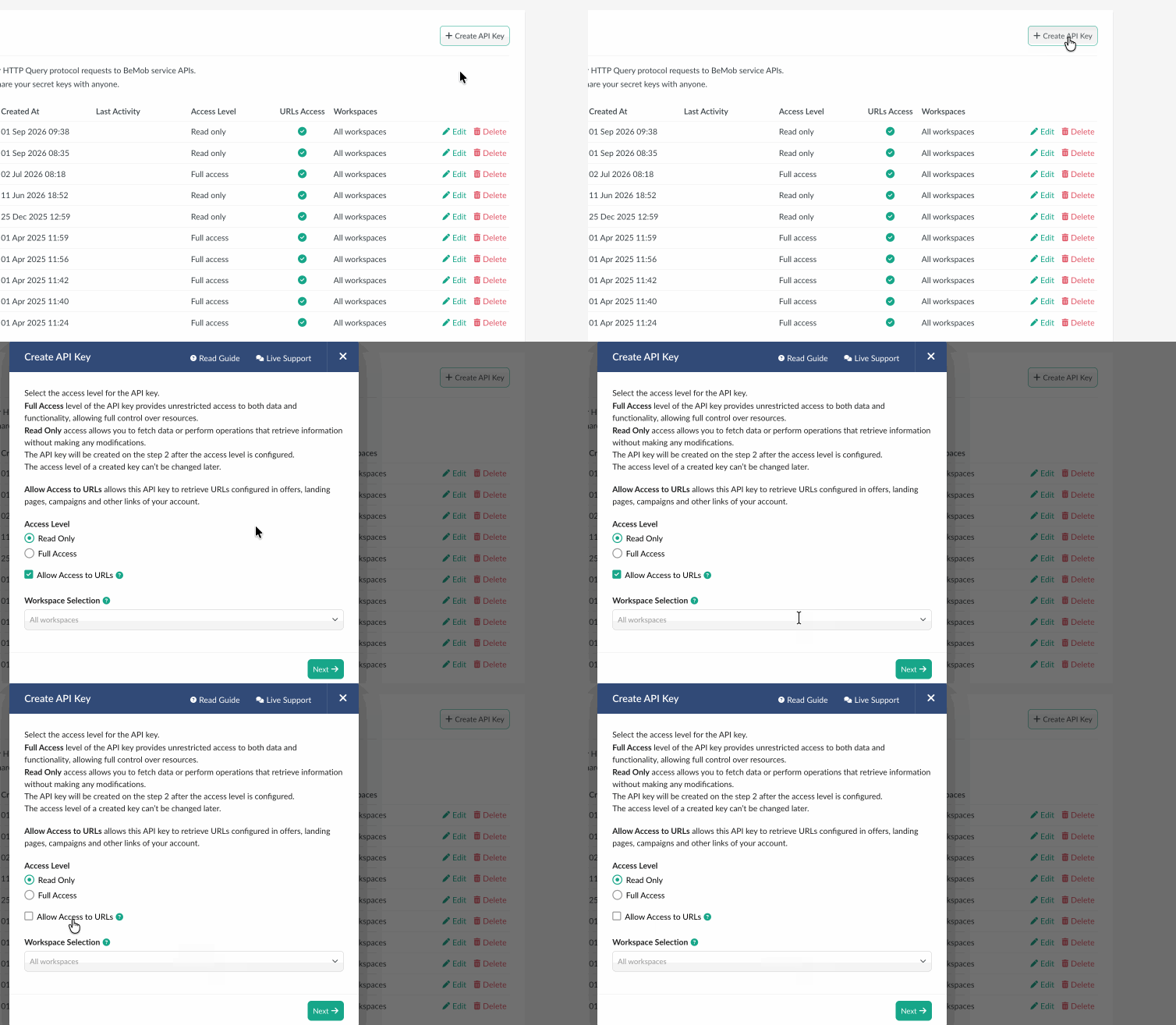
You can use this setting with both Full Access and Read Only keys and check its status in your API key list. For Full Access keys, hiding existing links still allows the connected tool to add new links or change them. It can receive a link back when it has supplied that link itself as part of the same action.
URL access stays on for your existing keys and is on by default for new ones. You can turn it off for a key you have already shared without replacing the key in your connected tools.
Once turned off, it cannot be turned back on for that key. Create a new key if you need to restore access, and check whether your connected tools rely on these links before disabling it.
How you can benefit from it: Share the campaign data your tools need while keeping the covered links out of their reach through that API key. This gives you more control when working with external services or AI assistants, including those you have already connected to BeMob.
📧 Need a feature? Reach us out via Chat or support@bemob.com