

 English
 Русский
 中文
中文BeMob bot filters help protect your campaigns from undesirable traffic. Previously, bot filters configured at the account level were applied globally to all incoming traffic across all campaigns.
BeMob supports three types of bot filters:
• Mark as Bot — accepts the traffic and marks it as bot traffic in your BeMob account.
• Redirect Bot — rejects and redirects the undesirable traffic before it reaches BeMob servers.
• Close Connection — blocks undesirable traffic before it reaches BeMob servers.
Since these filters previously affected all campaigns globally, we’ve introduced campaign-level control to make bot filtering more flexible.
What’s New
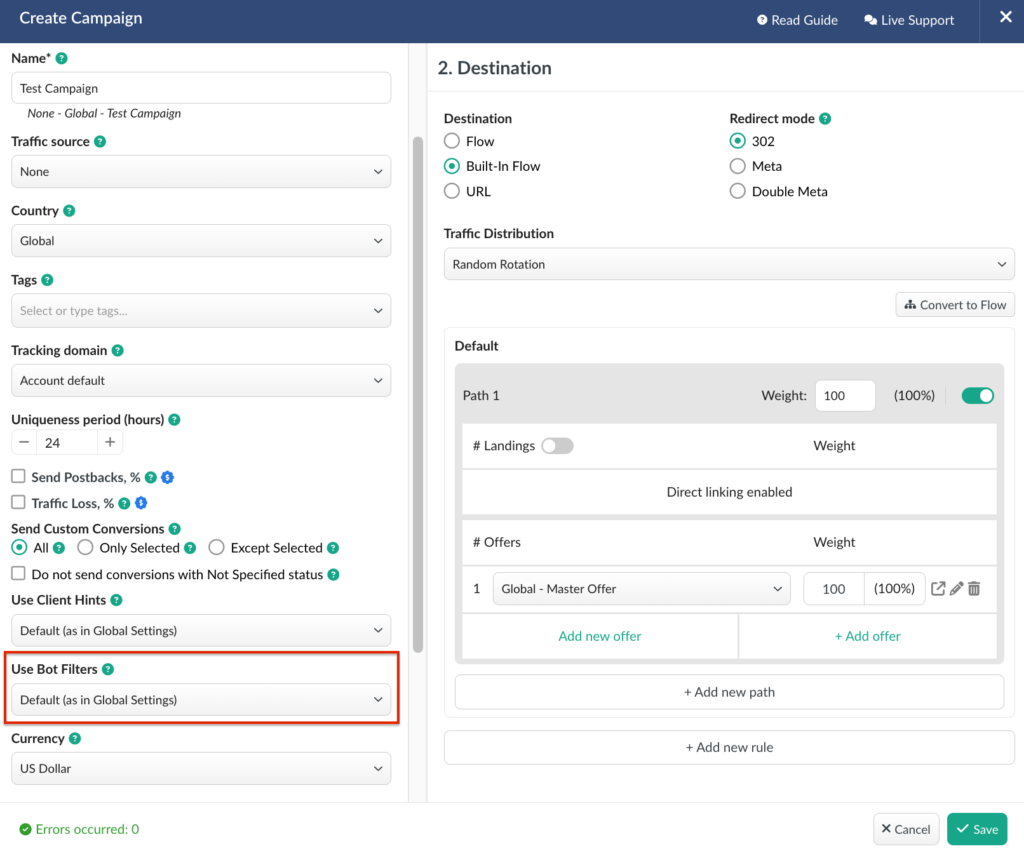
You can now enable or disable bot filters individually for each campaign, overriding the global account settings when needed.
How It Works
1. Open the Settings of the required campaign.
2. Choose one of the available bot filter options for this campaign.
Default (as in Global Settings) — applies bot filters exactly as configured at the account level.
Enabled (For This Campaign) — applies global bot filters to this campaign even if they are later disabled at the account level. Required to make sure that the bot filters always applied to a particular campaign.
Disabled (For This Campaign) — disables the application of global bot filters for this specific campaign.
⚠️ Important: Make sure your bot filters are preconfigured at the account level before managing them at the campaign level.
This update gives you greater flexibility to control bot traffic behaviour on a per-campaign basis without changing your global account configuration.
📩 We highly appreciate your feedback and feature requests.
Feel free to reach us via Live chat from the panel or website and at support@bemob.com