

 English
 Русский
 中文
中文BeMob introduces two new metrics:
- Conversions WebView — the number of conversions attributed to WebView traffic.
- Revenue WebView — the total revenue generated from WebView traffic.
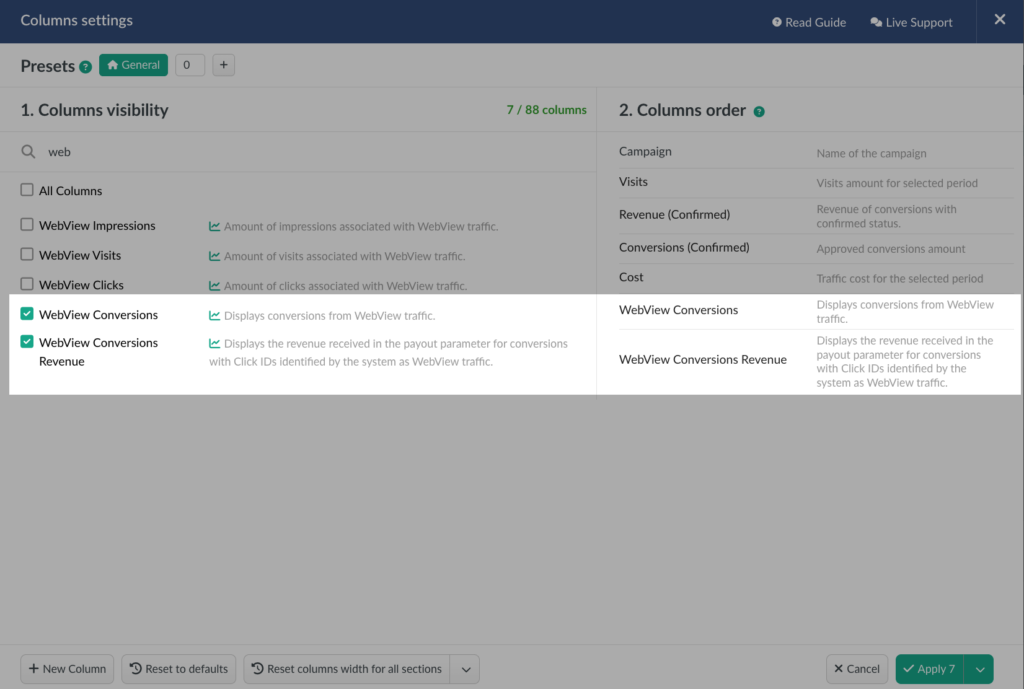
To add these metrics to your report:
- Open the Reports section.
- Click Columns Settings to customize the report.
- Find WebView Conversions and WebView Revenue in the list of available metrics.
- Select the columns you want to display and apply the changes.
You can also use the new WebView metrics in custom formulas, giving you more flexibility to analyze and compare the performance of different traffic types.
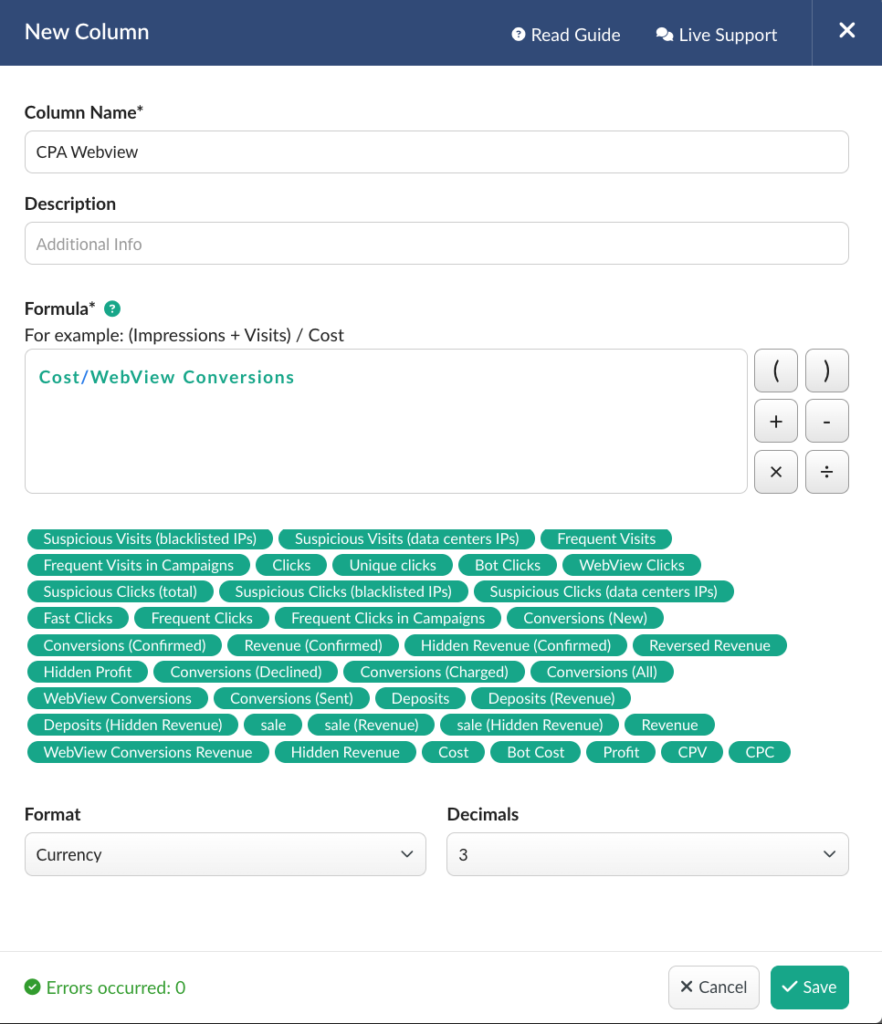
This gives you a clearer view of how your WebView traffic performs beyond visits, clicks, and impressions, allowing you to measure its conversions and revenue separately.
📧 Need a feature? Reach us out via Chat or support@bemob.com